Contact
GlucoLog is developed by Long Vu. For app questions or technical support, email [email protected].
Subscriptions
To restore GlucoLog Premium, open GlucoLog, choose More, then tap Restore purchases. To manage or cancel a subscription, open your Apple Account’s Subscriptions settings on your device.
Journal and backups
Your journal is stored on your device. Open More → Backup & export to create a CSV log or a restorable backup. Keep exported files somewhere safe; GlucoLog cannot recover a file you delete.
Meter scanning
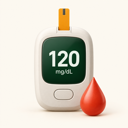
Meter scanning suggests a number from a photo on your device. Check the suggested number against your meter before saving it. You can always enter a reading manually.
GlucoLog is a personal record-keeping tool and does not provide medical advice, diagnosis, or treatment. For health questions, follow your care plan and contact a qualified health professional.